

Hello, and welcome to Ez Sql Plus 1.0, the second product from Cid Toolbox. It is a desktop SQL editor for the days when you do not need a heavy IDE: you need to connect, write some SQL, run just the right statement, look at the result and move on. It does that for six database engines with the same keys and the same screens.
What it is
Ez Sql Plus is a Windows desktop application for writing and running SQL. It works with Microsoft SQL Server (including Express and LocalDB), PostgreSQL, MySQL, MariaDB, Oracle and SQLite. Each engine has its own provider, so the editor knows how that engine splits a script, which words it reserves and what its functions do, while you keep one way of working.
We built it because the tool we kept reaching for was either too big or only spoke one dialect. The goal is a fast editor that knows your database, and never surprises you about what a run will do.
What it does
Connect and organize
- Projects and connections. Group the connections of one job into a project. Connection strings are stored encrypted with Windows DPAPI, and each connection is color-coded so you can tell production from a test database at a glance.
- Speed Dial. The start screen shows your recent connection and projects, with one-click tiles for what you open most.
Write
- Autocomplete that knows your schema. It suggests your real tables and columns, ranked by relevance, and Tab inserts a table together with its alias.
- Help for every keyword and function. Each word in the list has a card with what it does, its syntax and parameters, and the first server version that supports it, with a warning when your server is older. Pin a card to the side panel to keep it open while you work.
- Understand your script. Semantic highlighting, hover cards and go to definition work inside your own script. There are bookmarks, find and replace, and editor themes that follow the light or dark skin.
- Snippets with a wizard. Pick the table, tick the columns, watch the statement build, press Finish. Starter snippets are included for each engine.
- Format SQL. One key turns an untidy line into a readable statement, without changing what it means.
Run and read the results
- Run exactly what you mean. Run the whole script, the selection, the current statement, up to the cursor or from the cursor. Every run mode says what it will execute. You can also see the estimated execution plan before you run anything.
- Results in tabs. Each result set gets its own tab next to the execution messages. Sort and filter, export one tab or all tabs to Excel or CSV, and generate INSERT or UPDATE scripts from a grid.
- Pick up where you left off. Your tabs and notes are restored the next time you open the program, and there is a query history with optional encrypted local result history.
Make it yours
- Every command can have its own key or chord.
- Display scaling is handled per monitor, so it stays sharp on mixed-DPI setups.
The optional AI Assistant
If you already use Claude Code, Ez Sql Plus can work with it. The AI Assistant lets you ask a question about your database, explain a statement, fix an error or rewrite a query. It is off by default and uses the Claude Code you install and sign in to yourself, so Ez Sql Plus never sees your credentials.
- Anything that changes data stops at an approval card where you can approve, reject or preview it first.
- An activity log shows every tool call the assistant made, including the ones you rejected.
- What is shared is described in the assistant's "What is shared" note. Table rows are not shared unless you allow it for a connection.
Claude Code is a product of Anthropic. Ez Sql Plus is independent and is not affiliated with Anthropic.
Your data stays with you
Ez Sql Plus talks to our license server only to start your trial, activate a license and look for updates. It never sends the contents of your databases, scripts or results to us. See the Privacy Policy for the details.
Price, trial and license
- 30-day free trial with everything unlocked. It starts the first time you run the program, with no account needed.
- 20 USD, one time. No subscription.
- One license covers up to five computers and includes one year of updates, plus bug-fix releases for the version you own after that.
- When the trial ends without a license, the program stops until one is activated.
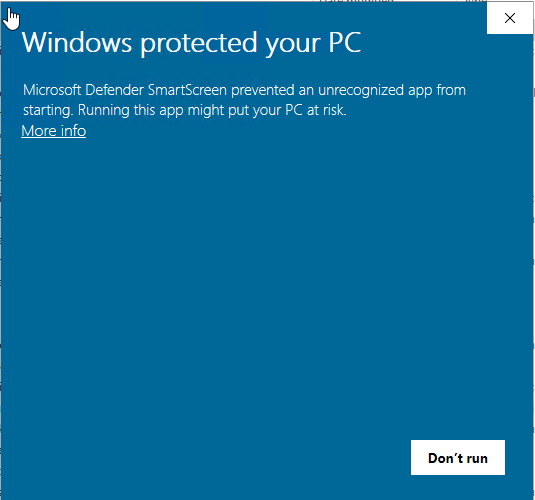
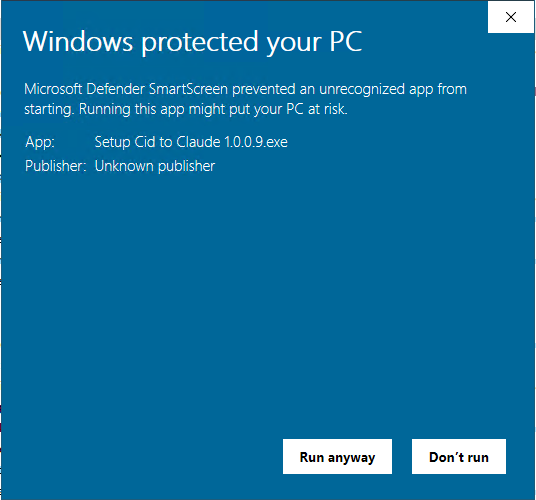
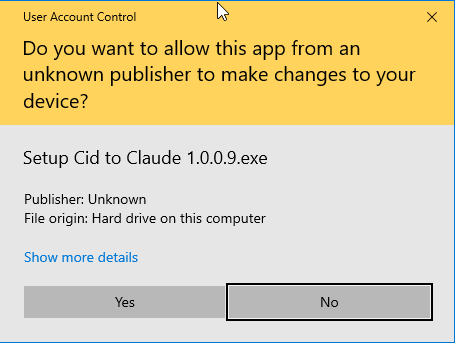
It runs on Windows 10 (version 21H2 or later) or Windows 11, 64-bit, and requires .NET Framework 4.8.1, which is included in Windows 11 22H2 and later. On other versions, install it from Microsoft first, because the installer does not check for it. Claude Code is needed only for the optional AI Assistant. The installer is not code-signed yet, so Windows SmartScreen may warn you the first time. Check the SHA-256 shown next to the download.
What comes next
Version 1.0 is the editor and the foundation under it. Everything below is planned as free updates for the first year of a license. We are not promising dates, and the order can change.
- Table Designer. Create and edit tables, columns, keys and indexes visually on all six engines, with the script shown before it runs.
- Database Navigator. A tree of every object in the database, with the details of each one.
- Database Search. Find objects by name, column or the text of their code.
- Query Historic. Browse what you ran, per connection or project, with filters for time, rows and errors.
- Schema Comparer and Data Comparer. Compare two databases or two data sets, see every difference and apply the changes from one to the other.
- ER Diagrams. Diagrams from an existing database, and the reverse.
Further down the road we also have a data importer, a dummy data generator and a theme editor in mind.
Try it
Take the tour with real screenshots and recordings, read the FAQ and get the installer on the Ez Sql Plus page. If something is missing or unclear, write to us through the contact form. We read every message.